
Change Password Help.
https://app.staging.goescrow.net/user/password
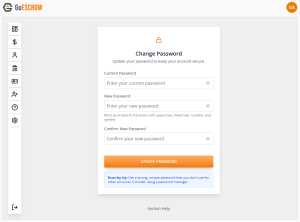
In the event that a user wishes to change their password, this tool can facilitate the process.
Firstly, users must know their current password. If the User has forgotten their password, they should log out of the App and use the “Forgot Password” link on the sign in page.
To change their password, users must enter their current password into the applicable text field, and then enter their desired new password into the “New Password” text field, and the “Confirm New Password” text field.
to reveal any of the text inputs, users can click the “eye” icon on the right side of the corresponding text field.
once satisfied with their inputs, users should click the “Change Password” button.
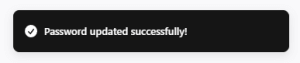
Upon successful password change, users will be redirected to the dashboard page, and a pop-up will appear in the top-right corner of their screen to confirm: