
Identification Documents Help
https://app.staging.goescrow.net/identifications

To comply with Australian Law and Regulation, GoEscrow must collect identification details from users.
Australian Drivers Licences and Passports are two forms of government issued ID that are sufficient in this case.
To quickly scan an Australian Driver’s Licence or Passport using a mobile phone, click “SMS ID Link”.
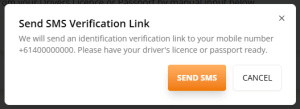
Before sending the verification message via “Send SMS”, check that the displayed phone number is correct.
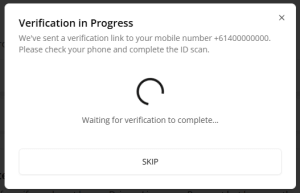
Once the verification message has been sent, the web page will present the above pop-up and wait for the user to complete the scan via their mobile.
For help with the mobile ID scanning process, please see this page: KYC via Mobile
Users may also complete their ID details manually by clicking the relevant “Driver’s Licence +” or “Passport +” rows.
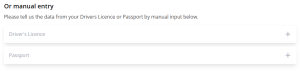
For help with manual entry, click the section help link on the relevant page or follow these links: Passport Manual Entry Drivers Licence Manual Entry
Once ID details have been input correctly (either scanned or manually) the GoEscrow app will verify the document and redirect from the page.