
Passport manual entry help
https://app.staging.goescrow.net/verification/identifications/passport
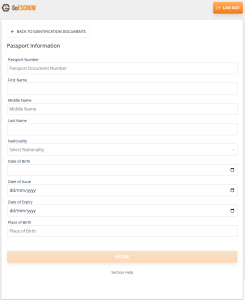
When Manually entering details from a Passport, all inputs should be as they appear on the information page of the document.
Names should be entered as they read on the information page.
Middle Name should be included if it is on the document.
Dates can be entered or selected from the menu on the right side of the text field.
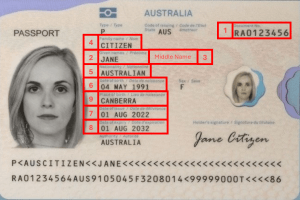
- Document Number
- First Name
- Middle Name
- Last Name
- Nationality
- Date of Birth
- Date of Issue
- Date of Expiry
- Place of Birth
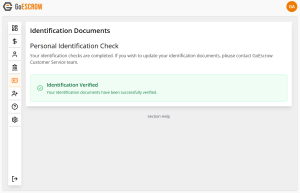
When the users’ document has been correctly verified, a confirmation message will display as above.